
Improve the sound quality of your audio files
I'm sure that over the years you've managed to build up quite a collection of music. However, if you were born before the year 2000 then the chances are they won't all be stored in the form of perfect quality digital audio files. Vinyl, tapes and CDs were very good at the time, but given that we're all used to listening to music in crystal clarity these days, it can be quite painful to listen to these crackily old recordings.
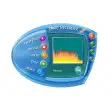
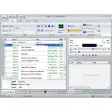
Cool Record Edit is here to help though, allowing you to polish up your music and audio through an intuitive editor. The program is able to import recordings from LP, Internet, radio, TV, cassette, etc. to your hard drive, before making refinements to it. The application contains many useful tools, such as an amplifier, reverberator, volume gain, etc. as well as a handy zoom feature for pinpoint manipulation of the audio spectrum. I was also mightily impressed with the click and crackle filter, which is particularly good for cleaning up vinyl recordings.
Once you've edited your audio, you can committ it to CD using the built-in burning tool, and there are also tools for ripping and converting. If you want a program that can edit tracks for mixing and creating your own music then look elsewhere, but if you're after something that can improve the sound quality of your audio then Cool Record Edit is a powerful solution.















User reviews about Cool Record Edit
by Anonymous
Fantastic!.
This is brilliant - simple and easy to use, fast and produces excellent results. The best program I've found for audio recorder.
by Anonymous
Easy to use recording & editing program..
It was easy to figure out how to use. There isn't a lot of options, but there seems to be everything you need. It's not cluttered or hard to find anything. And it was just what I needed. More
by Anonymous
Easy to use, great features.
This program is easy to install and use. It is also great in allowing you to hear what it is recording, which is a great help over other players where you have to guess if your tape is playing More
by Anonymous
Easy to use recording .
Its the most fantastic piece of software I've ever used !
by Anonymous
Great easy to use.
A great tool for anyone involved in audio production.
by Anonymous
Functional,stabile and reliable.
That one was the most functional,stabile and reliable of the recording - editing programs that I tried. I turned many LPs and tapes to CD without any real problem.
More